notes on rocuronium ・ rx no.012 ・ for macOS
The agent works
beside you.
a menu bar daemon that lets an AI see and operate your Mac: read text, click, type, scroll, drag, draw. you keep your cursor, your focus, and a kill switch. every action comes back with evidence of what actually happened.
macOS 26.5+ · Apple silicon · free · open source · MIT
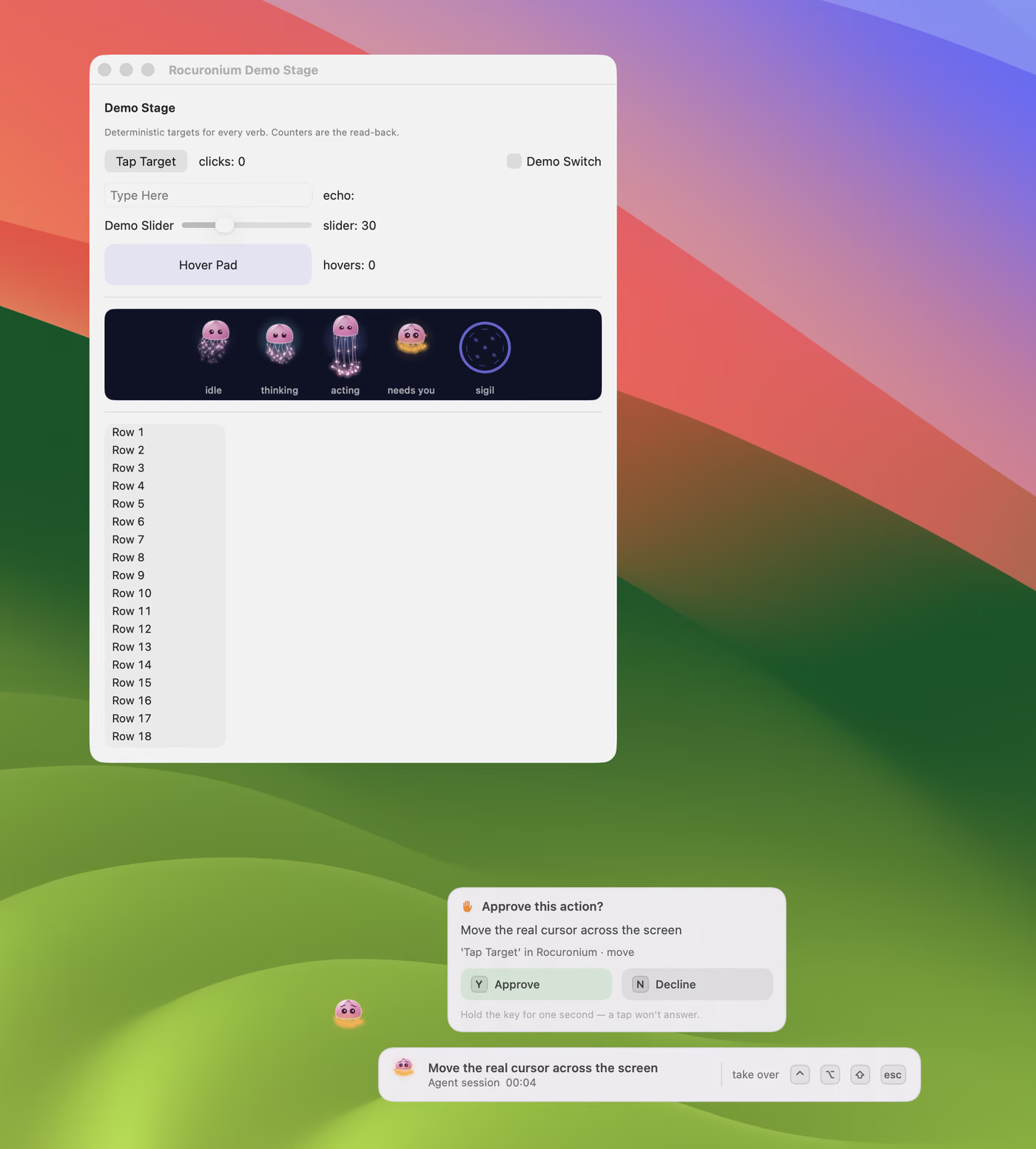
the escort, the consent card and the bezel, in one frame ・ ⌃⌥⇧esc takes everything back
01 ・ the ailment
Every other tool
takes your cursor.
an agent that drives your Mac by moving the real pointer has to have the Mac to itself. you sit on your hands while it works, or you touch the mouse and the two of you collide. either way, the machine that was yours is on loan.
The quieter problem is that the APIs lie. AXSetValue reports success on WebKit while changing nothing. AXPerformAction succeeds on a background menu that was never validated. a posted scroll wheel is silently ignored. a tool that trusts return codes builds on sand, and the agent reports a job done that never happened.
rocuronium, the drug, is a neuromuscular blocker: the body goes still while the mind stays awake and watching. the app holds to that. it moves the machine without moving you, and it never tells you something happened unless it looked.
{
  "tentacle": "accessibility",
  "cursorMoved": false,
  "verdict": "confirmed",
  "evidence": { "clicks": "0 → 1" }
}
02 ・ the tentacles
Ghost input,
with evidence.
every action is delivered by the least invasive means that works, and the reply says which one it was and what observably changed.
- Ghost inputmost actions reach an app through accessibility and per-process posted events. no cursor movement, no focus change, invisible to the person at the keyboard. type into a background TextEdit while you play a game.
- Evidence verdictstext is read back after writing, pixels are compared before and after, window counts are checked, process exits are detected. the reply says
confirmed,noEffectorunverifiable.noEffectis the one that matters: the API said success and nothing changed. - Diff perceptionread an app's text for a fraction of a screenshot's cost. pass the observation token back and get only what changed: elements appeared, vanished, values moved. screenshots diff the same way, as changed-region crops instead of whole frames.
- The visible agentwhen the cursor is taken, a jellyfish escorts it, a bezel narrates the intent, and a charge-up sigil gives you time to stop it. touch the mouse and the gesture yields. ⌃⌥⇧⎋ halts everything within one sample, about 8 ms, and only the menu bar can resume it.
- A virtual displaypark a window onto an invisible display, work on it there with full hardware input, put it back. no occlusion, no screen real estate. the display exists only while a lease holds it.
- Sequence plansa multi-step flow runs as one daemon-side operation, click, wait for the dialog, type, verify the field, with postcondition guards between steps and a failure policy: abort, continue, pause for a human, fall back.
- The stingreal hardware input is the last rung, off by default. it needs an explicit flag and is refused while a human is present, while the screen is locked, or while another window covers the target. when it is allowed, the escort shows you exactly where it is going.
About a sixth of Mac apps expose no usable accessibility tree. for those, a local 5.4 MB UI detector and OCR find the controls in about 8 ms a window, and a local vision-language model reads what the detector cannot. every row says which tier answered. nothing leaves the machine.
03 ・ the label
One brew install.
Two permissions.
install it, grant Accessibility and, for screenshots and OCR, Screen Recording. the CLI is also an MCP server, so Claude Code and its kind get every verb as a tool with the same names and arguments.
rocuronium read --app Notes # the text, with a token for --since
rocuronium click --app Notes --label "New Note" # a verdict comes back
rocuronium type --app Notes "one more game?"
rocuronium mcp # the same verbs, over stdio
- aobserve: status, apps, windows, find, read, wait, screenshot, activity.
- bact: type, click, key, shortcut, menu, scroll, statusitem, launch, activate.
- ca menu bar jellyfish: outlined while idle, filled and busier while the agent drives.
- dconsent on screen: hold Y to approve, N to decline, A to approve a stretch of work.
- ean activity log of what was done, for the things you didn't watch.
- f
rocuronium guideprints the operator manual;guide --installgives it to your agent as a skill.
The agent works beside you.
Your cursor stays yours.
macOS · free · open source · rx no.012
Download Rocuronium ↓