Open the same tab in two browser windows. In Chrome or Safari, you get two unconnected pages. In Arc, one window shows a placeholder. In Zen, it silently creates a duplicate. In Refrax, both windows show the same page updating live. The same web page, in as many windows as you want. Useful for screen sharing or presentations.
This shouldn't be possible. WebKit's WKWebView can exist in exactly one view hierarchy at a time. With macOS 26, Apple added a SwiftUI API separating WebView from WebPage, so you can end up with multiple views referencing the same page. But if you try it, your app crashes. WebKit source code has a precondition with this comment: "We can't have multiple owning pages regardless."
So here's how I did it.
CAPortalLayer
CAPortalLayer is an undocumented private class that's been in macOS since 10.12. It mirrors a layer's composited output by referencing the same GPU memory, not copying it. Every scroll, animation, or repaint reflects instantly. This is what powers Liquid Glass effects, the iOS text selection magnifier, and ghost images during drag and drop. Apple uses portals for effects. I use them to put the same web page in two windows.
Refrax keeps one real WKWebView per tab and displays a CAPortalLayer mirror everywhere else. When you click a different window, the coordinator moves the real view there and the old window gets a portal.
Making it seamless
This sounds simple in theory, but making this actually work seamlessly took quite a lot of effort. Each macOS window has its own rendering context, and the context ID updates asynchronously, so creating a portal immediately captures a stale ID and renders nothing. The portal creation needs to be delayed, but delaying creates a visual gap. I capture a GPU snapshot using a private CoreGraphics function and place it behind the portal as a fallback.
Another hard part is that none of it is documented. Portals are very capricious and would crash the app if you use them incorrectly. I had to inspect the headers and then disassemble the binaries to explore exactly how it works in order to build something robust.
Why I built a browser
I never worked on a browser before this. I started using Arc in 2022. I didn't like it at first as it had too much Google Chrome in it for my taste, and I'd been using Safari at the time. But it grew on me, and by the time it was essentially abandoned and sold to Atlassian, I couldn't go back to Safari anymore.
I tried everything, but none of them was what I was looking for, and I didn't want another Chromium fork. So, being a very reasonable person, I decided to make my own Arc replacement from scratch.
What came out
And I did. Refrax is built in Swift and Objective-C with no external dependencies. The app itself is less than 30 MB. I have 325 tabs open right now using 411 MB of RAM (26 processes); 150 tabs in Safari was already over 1 GB. I've been using it daily for over a month, and so have my friends.
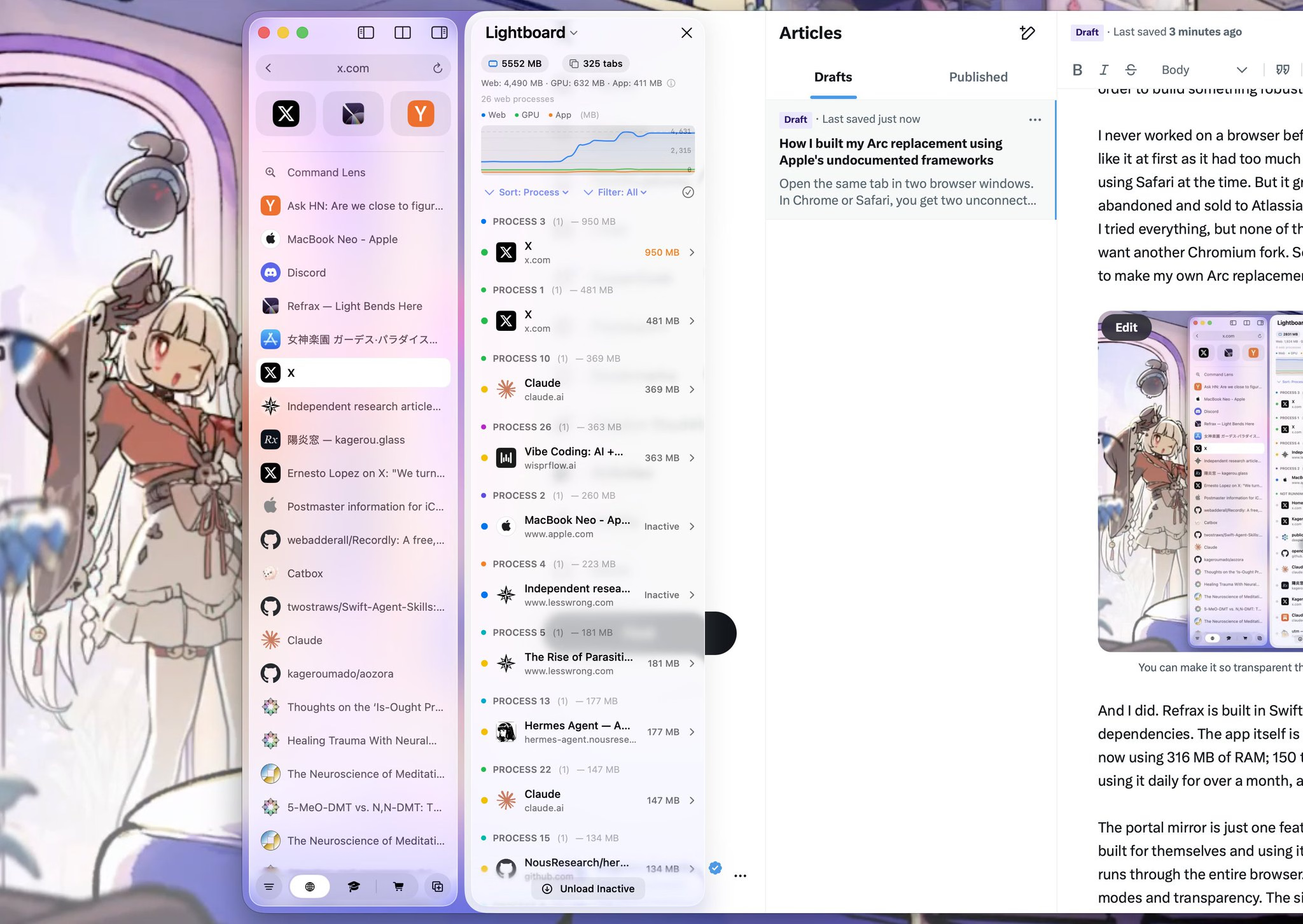
The portal mirror is just one feature. The same approach — finding what Apple built for themselves and using it to create something they didn't think about — runs through the entire browser. You can tint your glass with adjustable blend modes and transparency. The sidebar in compact mode samples the page and reflects the colors. And it has support for Firefox and Chrome extensions.